Guides > The Coach's Guide to GoHarder
The Coach's Guide to GoHarder
Everything you need to set up your account, add athletes, and start coaching.
In this guide
1. Set up your account
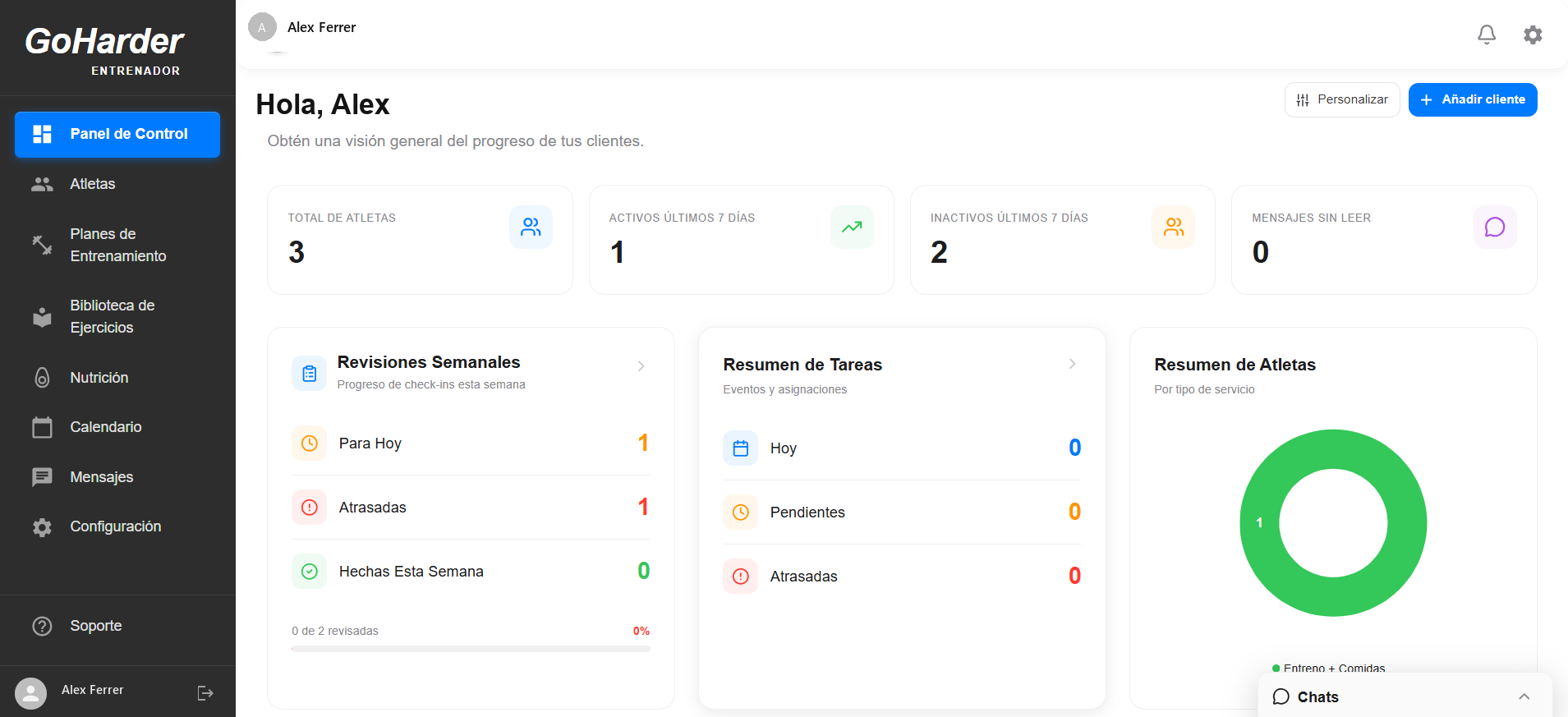
- Sign in at goharderapp.com
- Complete your profile in Settings
- Set your preferences — units, rest timer, RIR tracking
- Share your join link so athletes connect automatically
2. Add athletes & send invites
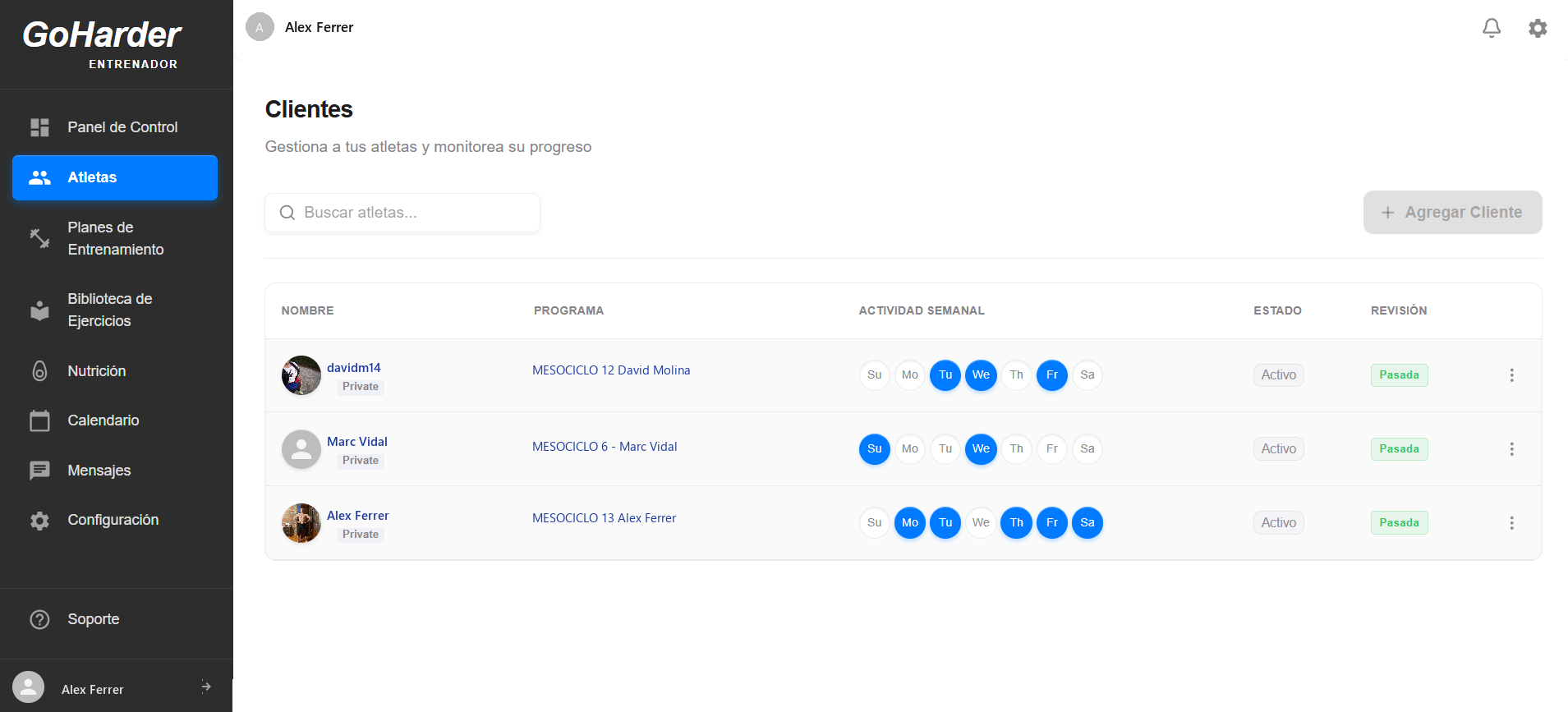
- Go to Athletes in the sidebar
- Invite an athlete by email, username, or your join link
- Track pending invitations until they accept
- View each athlete's profile, goals, and history once connected
3. Build your first program
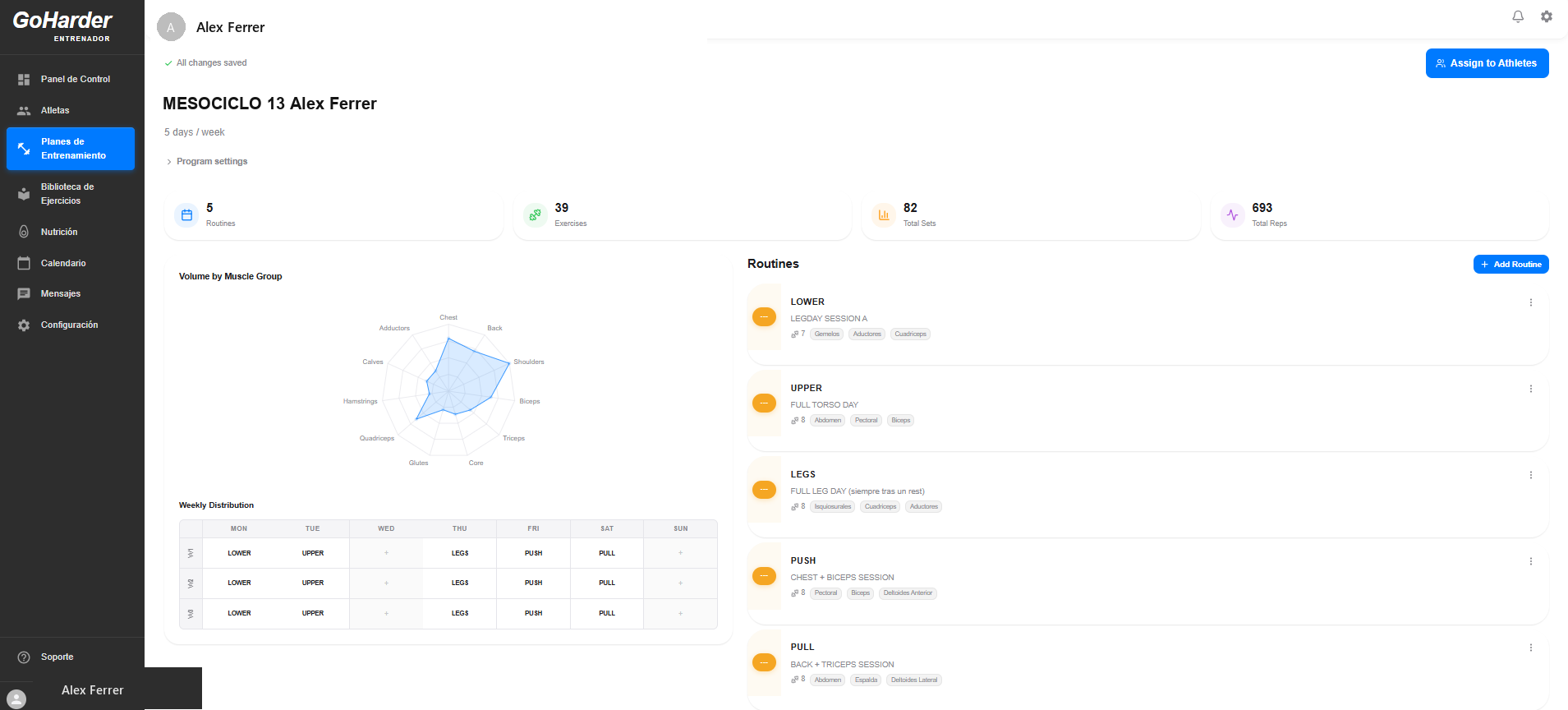
- Go to Templates and create a new template
- Add routines and organize them into weeks
- Add exercises with sets, reps, and RIR targets
- Track volume, sets, and weekly distribution automatically
4. Assign the program to athletes
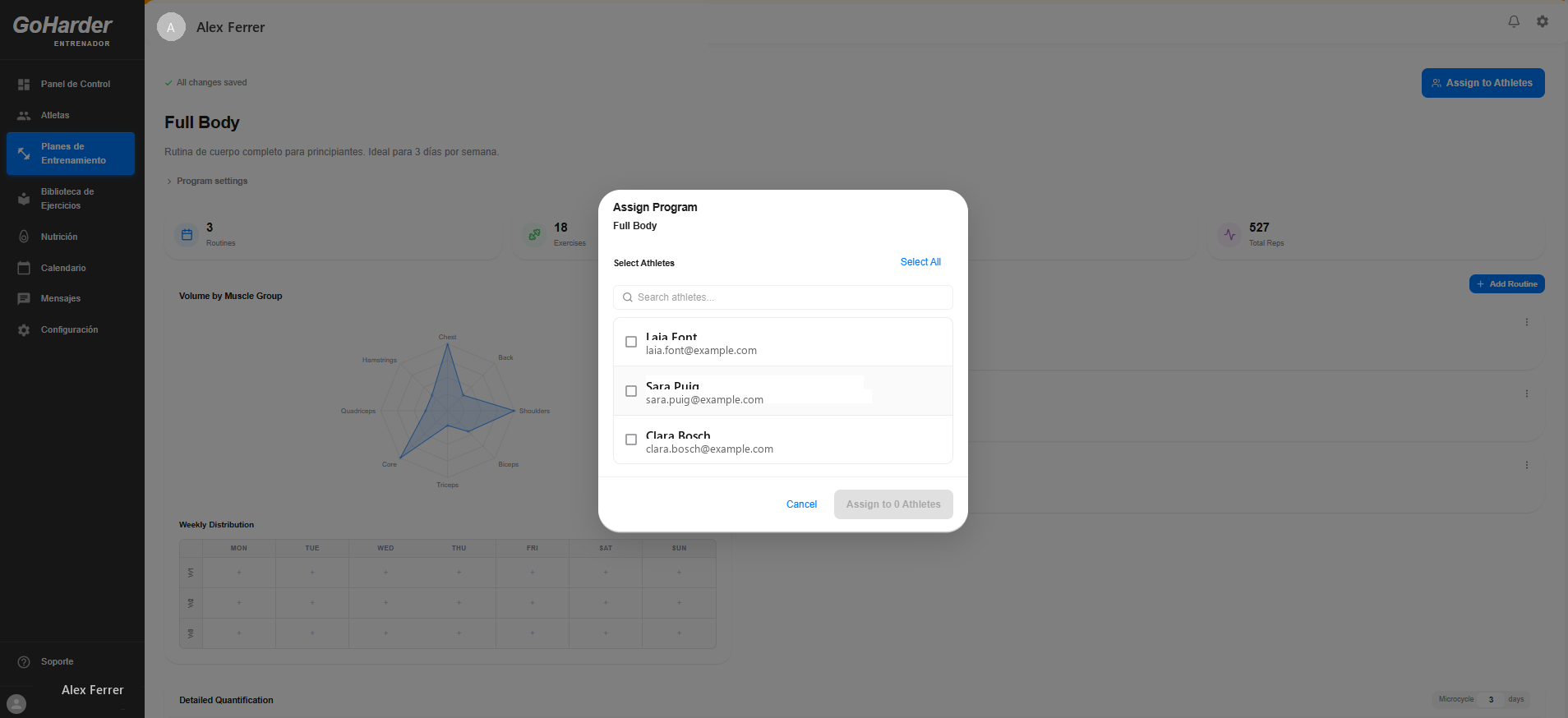
- Open the program and select Assign to Athletes
- Search and select one or more athletes
- Confirm to send it straight to their app
- They'll see it as their next program to follow
5. Browse the Exercise Library
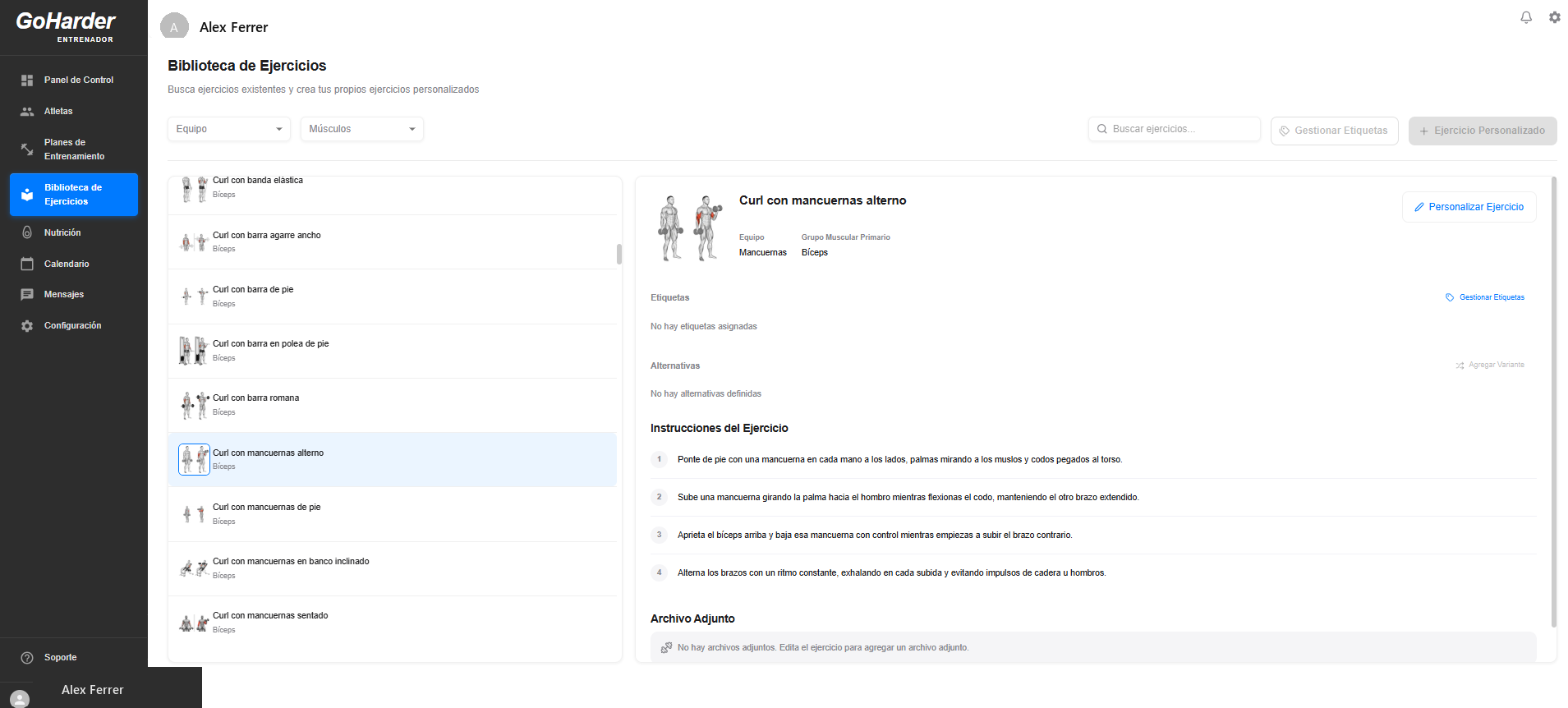
- Go to the Exercise Library in the sidebar
- Filter by equipment or muscle group
- View instructions and muscle diagrams for each exercise
- Create your own custom exercises when you need one
6. Review logs & track progress
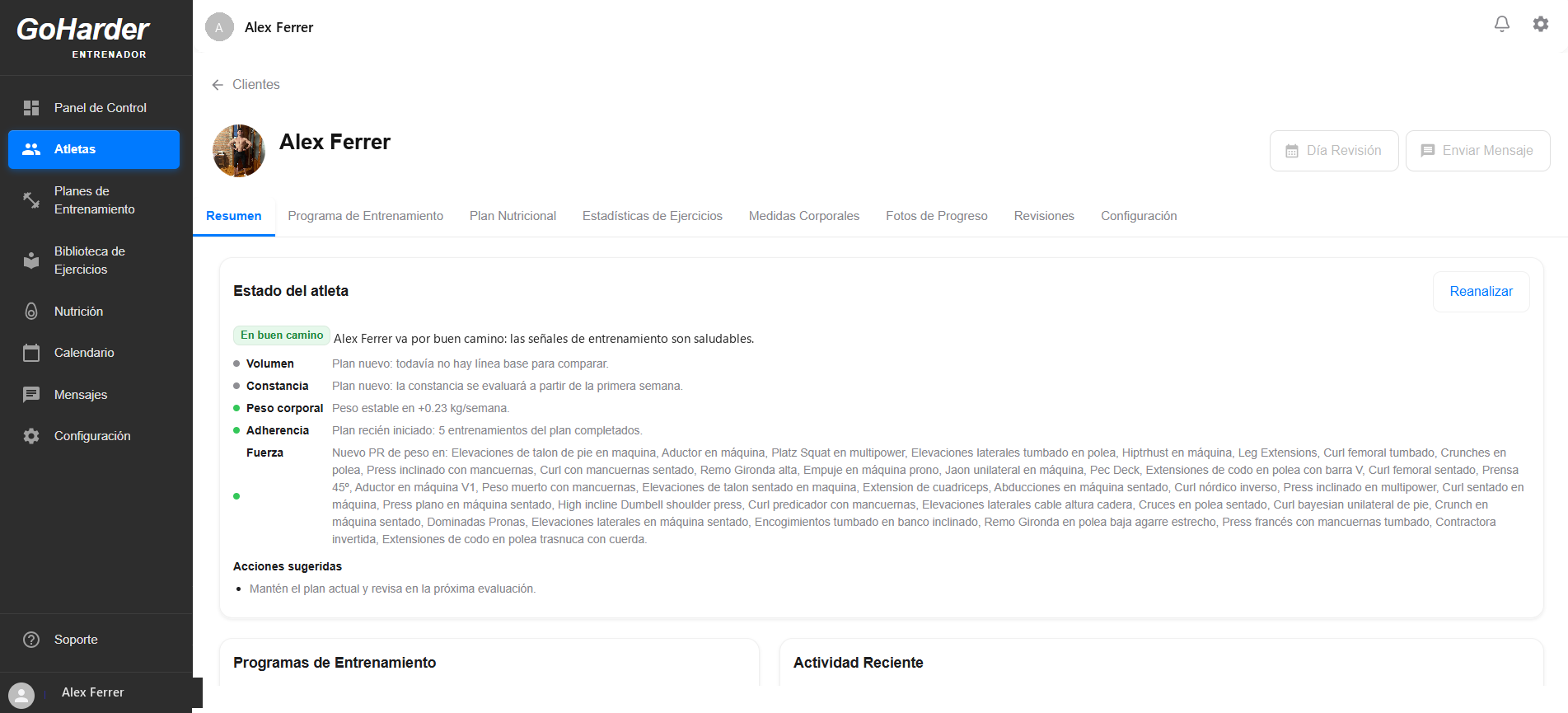
- Open an athlete's profile to see their status at a glance
- Review completed sessions, weights, and personal records
- Leave feedback or adjust the plan based on performance
- Use the Review tab to spot trends across weeks